

Section 05
Workspace
Review, protect, edit, reset, and save the current Preview Draft.
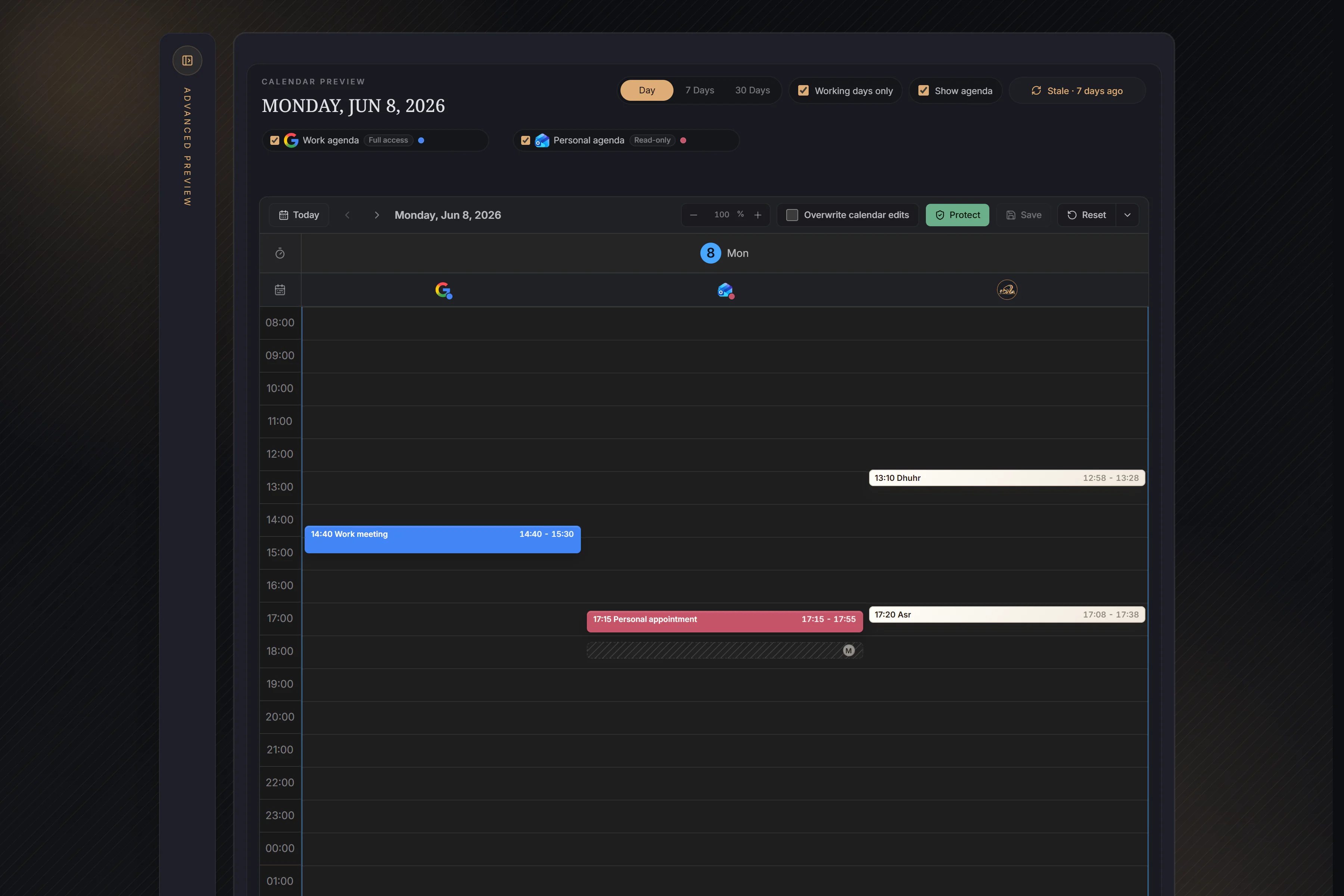
Views, sources, and manual editing
- Use Day for direct block work, 7 Days for the week, and 30 Days for a longer overview. Working days only hides Saturday and Sunday from the current view or operation without deleting their saved state.
- Agenda Source chips choose the busy events shown to Workspace and supplied to Protect. Refresh when the freshness indicator is old before relying on that context.
- Leave Overwrite manual changes off to keep saved manual values and placements. Turn it on only for this operation when recalculation should replace them.
- In Day and 7 Days, use the supported mouse or keyboard controls for normal Prayer Blocks. On a phone, direct prayer-block interaction is supported in Day; the week overview is intentionally read-only. Agenda and 30 Days do not expose a pencil or direct Jumuaa occurrence editor.
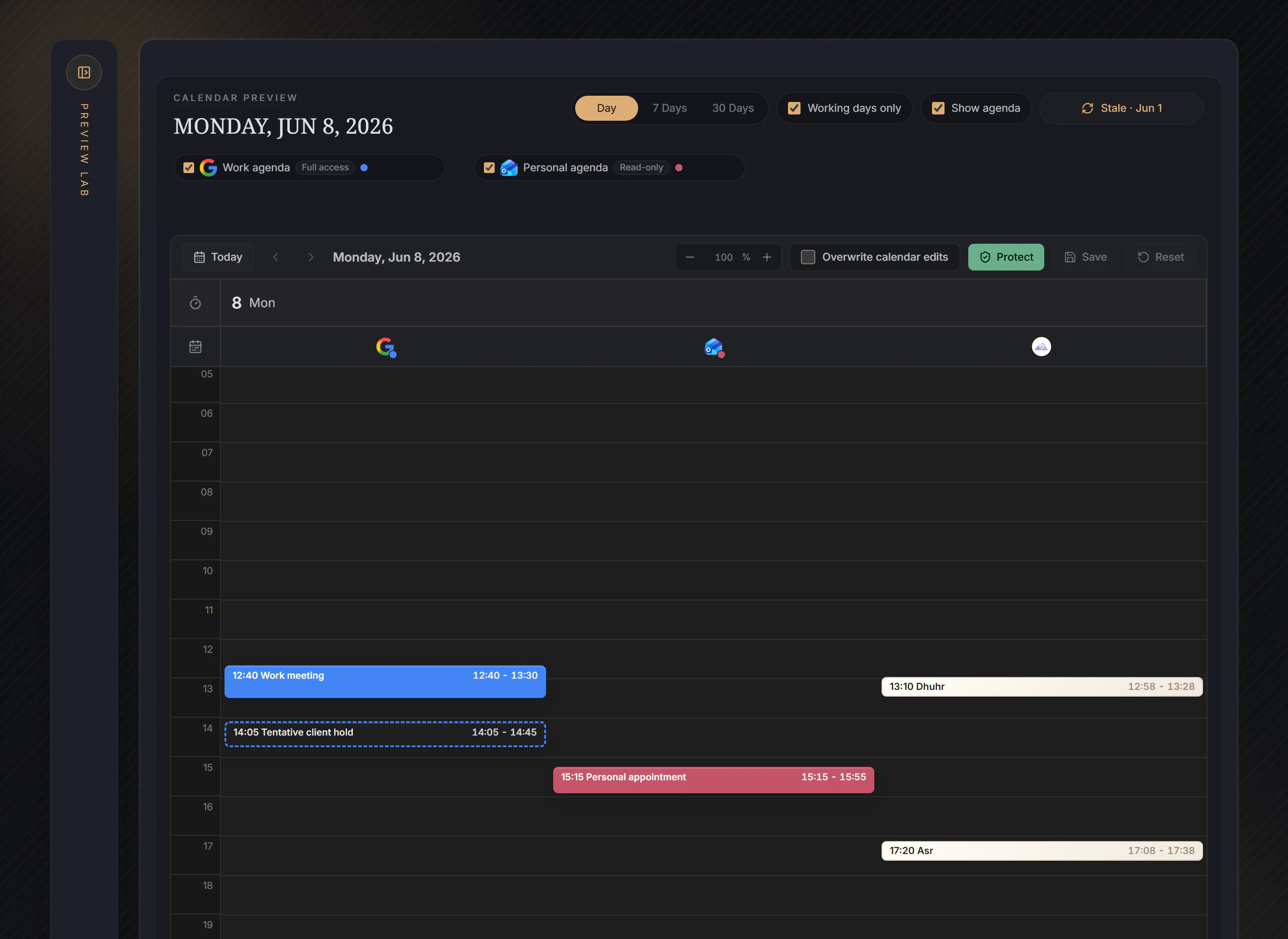
In this example, the selected Work agenda and Personal agenda supply busy events. The visible Dhuhr Prayer Block overlaps the filled Work meeting before Protect. The outlined tentative hold remains context but is not a busy blocker.
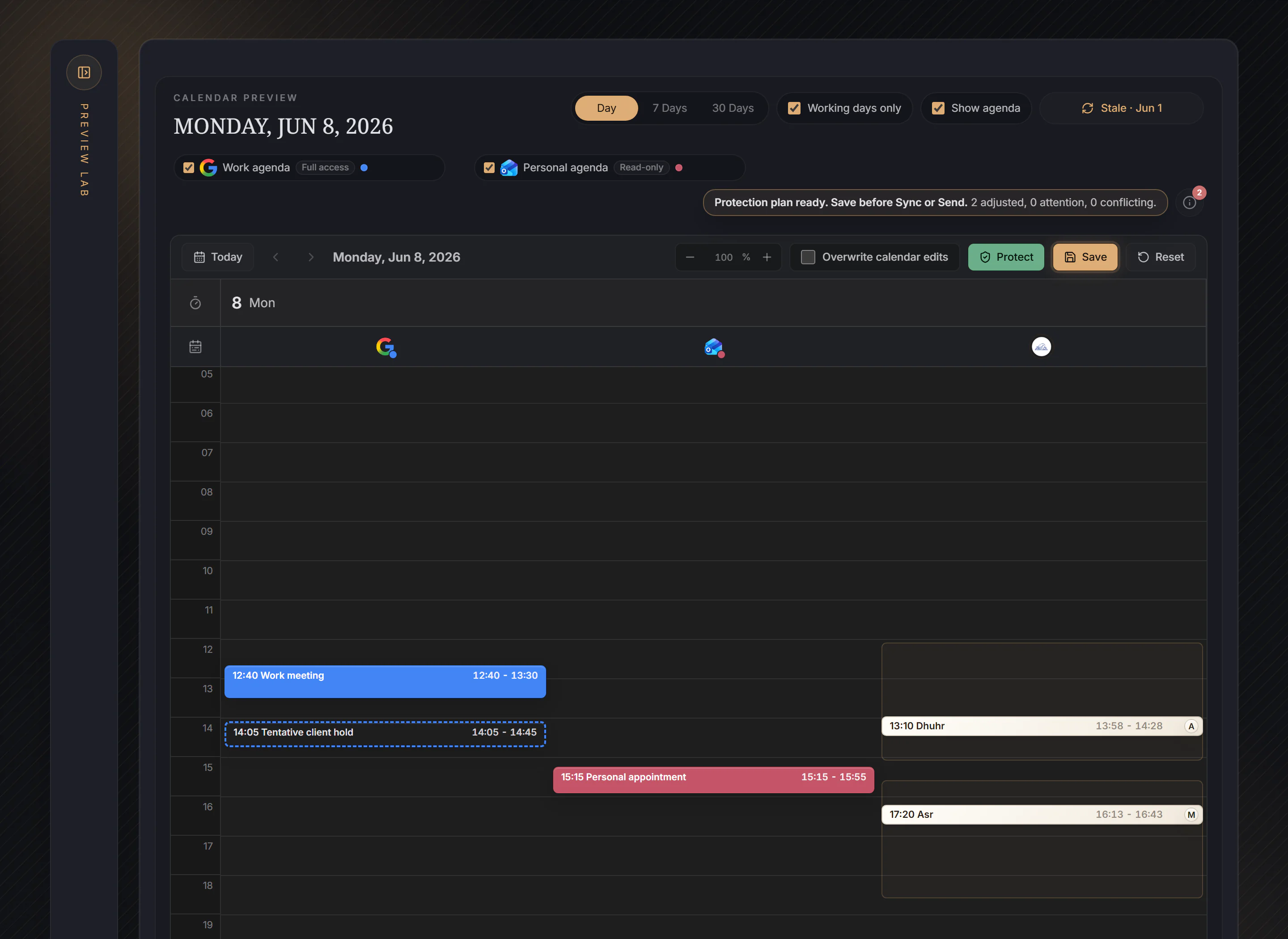
Protect, review, then Save
- Select Protect to stage a plan for eligible normal Prayer Blocks. Here Dhuhr moves after the Work meeting while staying inside its accepted prayer window; the manual Asr placement remains preserved.
- Review the visible result and summary before Save. Protect does not change Before, Prayer duration, or After, and it never selects, moves, or invents Jumuaa.
- When no valid movement resolves a busy conflict, the block stays visible and the summary reports attention or conflict. Protect does not hide the problem or promise that every conflict can be solved.
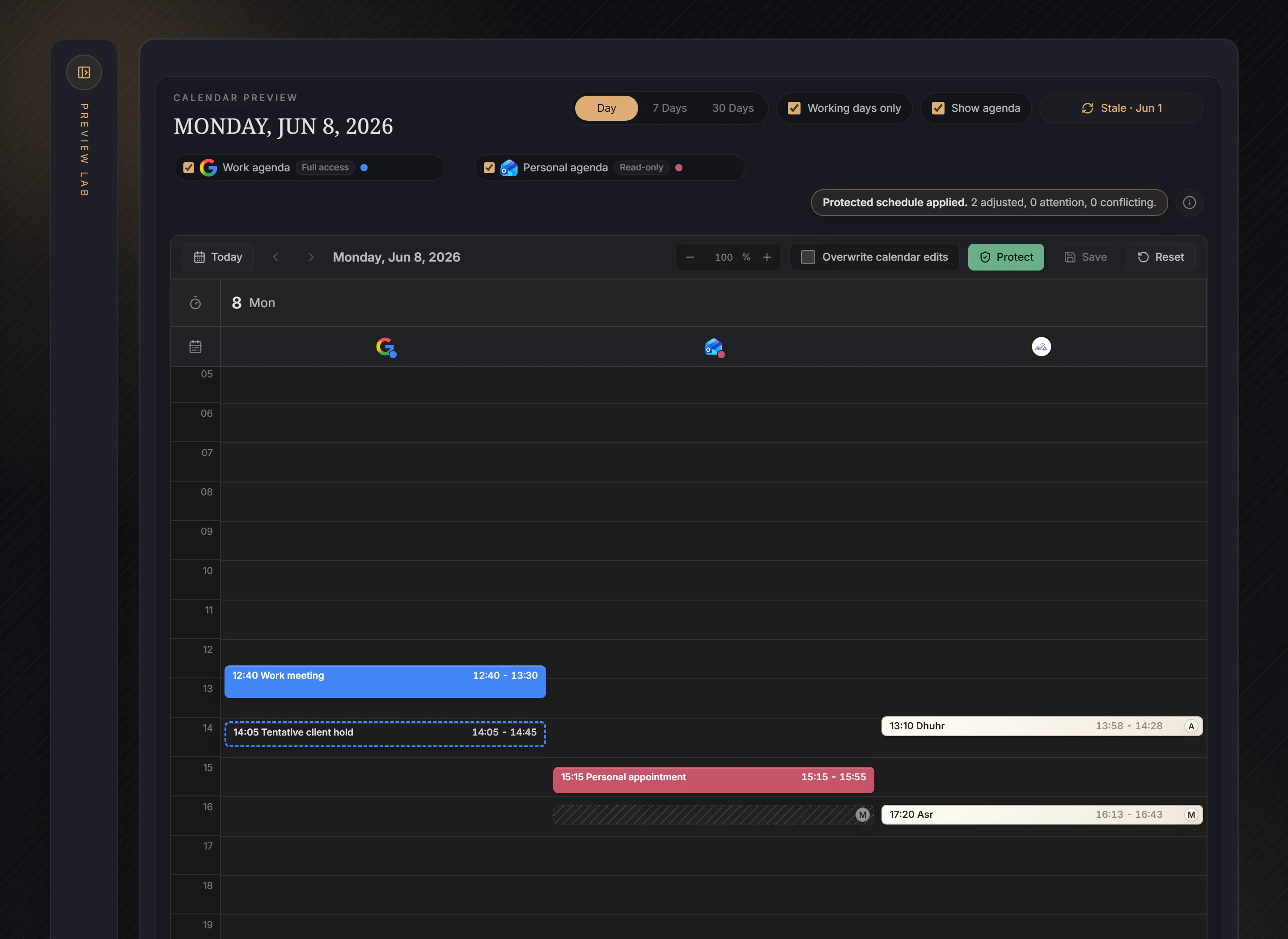
Toolbar Save makes the reviewed protection result durable. Reload keeps the saved placement, and repeating Protect with the same saved inputs leaves Save disabled. This still does not update Google or Outlook: direct Sync or an enabled automatic rule is the separate provider-delivery step.
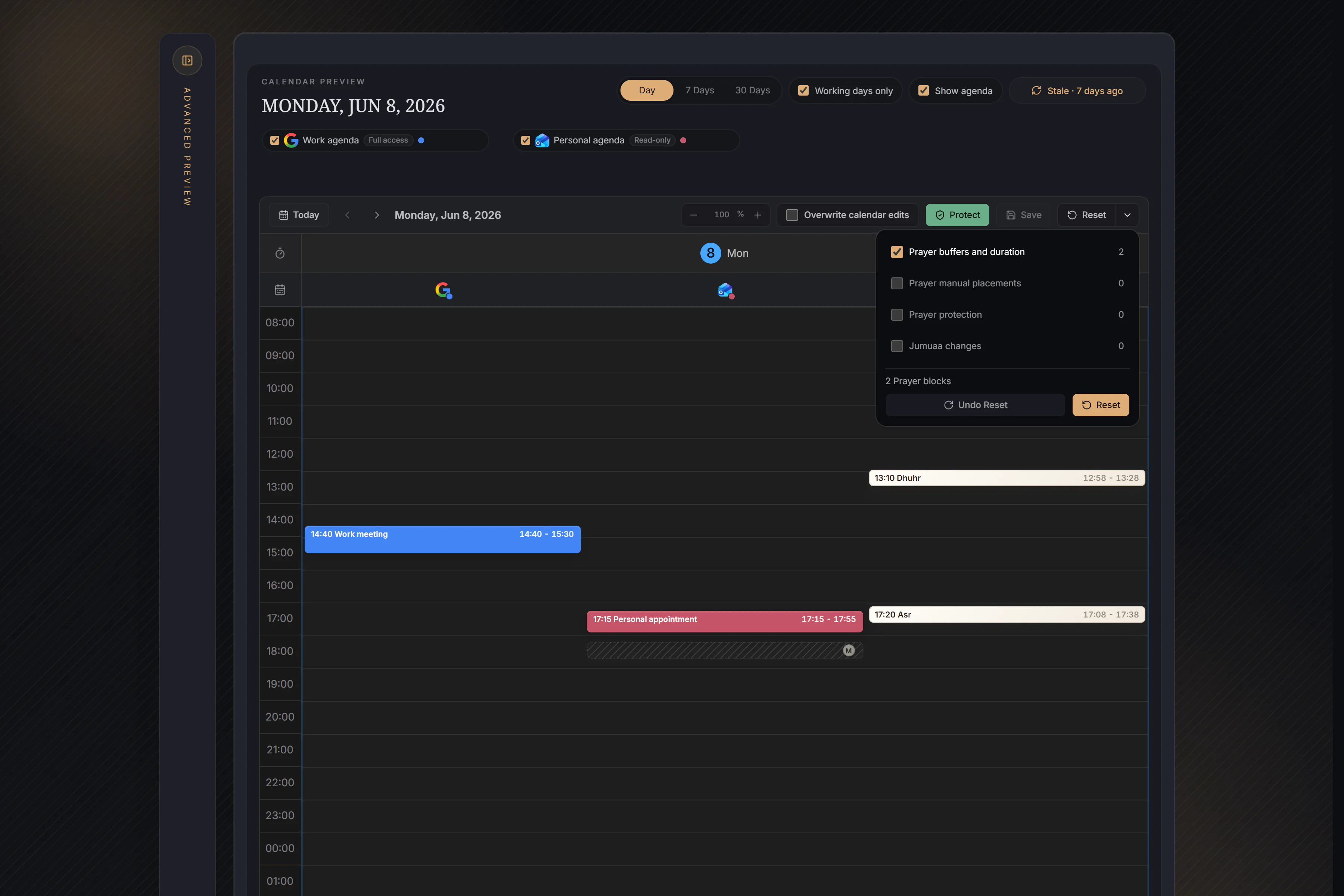
- A
- A value or placement currently comes from an Advanced or automatic Workspace action.
- M
- A value or placement is a saved manual change. Advanced Preview preserves it unless Overwrite manual changes is selected.
- Mosque
- Marks a Jumuaa Prayer Block and its mosque-time context.
- Pencil
- Opens an exact occurrence editor only on supported Workspace surfaces.
- Reset
- Shows that an occurrence or Workspace result can be restored from current saved defaults or the selected Reset scopes.
- Blocked actions
- Save Preferences, Save Workspace edits, or finish the current Apply/Reset recovery before starting an action that needs stable saved authority.
What is saved, and when?
Preferences Save changes recurring Prayer Defaults. Toolbar Save persists pending Workspace placement, protection, direct edits, and Reset. Advanced Apply persists one finite batch adjustment and creates one Undo last Apply point. Clear cancels current Advanced inputs. Reset stages selected Workspace restoration and still needs toolbar Save. Undo last Apply restores the state before the most recent successful Advanced Apply; it is not a general history.
Choose Workspace in the main navigation for this flow. Expand Advanced preview inside Workspace for finite batch adjustments.